 MindSift
Zoom in
One click on a bullet hides everything else: only this branch remains, and the breadcrumb bar at the top leads back. A note with 500 bullets feels like one with ten.
MindSift is an outliner: every thought is a bullet, every bullet can hold sub-bullets, as deep as you like. You collapse branches, zoom into one and write together with others at the same time, without overwriting each other.
The workspace
Structure emerges as you write, not before. What belongs together, you indent. What you don’t care about right now, you fold away. And when a branch grows too big, it simply becomes a note of its own.
One click on a bullet hides everything else: only this branch remains, and the breadcrumb bar at the top leads back. A note with 500 bullets feels like one with ten.
/todo, /h1–/h3, /code, /callout, /link, /image, /audio, /diktat: every bullet becomes what it should be, without your hands leaving the keyboard.
With [[Note]] you connect thoughts across the whole workspace. Below every note you see who points to it, and one click jumps straight to the bullet.
Write #backup anywhere. MindSift collects every occurrence on a tag page of its own, grouped by note, with room for your own thoughts on it.
Check boxes stay in their context and still end up collected in one overview. If you want, a to-do becomes a proper task with a due date, synced both ways.
/extract turns a branch and its sub-bullets into a note of its own and leaves a link behind. The other way round, drag one note onto another and the two become one. Both can be undone.
Zoom
Notes grow. Instead of scrolling, you click a bullet: everything else disappears, and this branch becomes the whole page. The breadcrumb bar shows where you are, one click on it takes you back.
Paste
Paste an outline from an email, a chat or a Markdown file: headings, lists, indentation and check boxes become real bullets you can collapse, move and zoom into.
Collaboration
Ben has zoomed into his part of the test setup, Anna has the whole document open. Whoever writes in a bullet holds it for a moment. Everyone else sees a lock with a name and keeps working, live.
Try it with two people in the demo ↗
Not the whole note is blocked, only the one bullet someone is typing in. Everything else stays free.
If two people did change the same bullet, say because one was offline, a marked copy appears with “Accept” or “Discard”. Nothing is ever silently overwritten.
Every change lands in the browser first and then goes to the server. Without a connection you just keep writing, the rest is sent later.
If a corporate proxy blocks WebSockets, MindSift takes the next route:
Finding things
Ctrl K searches titles and every single bullet in all notes, tasks and lists, shared ones included. A hit opens the note right at the matching bullet.
Tasks
One click turns any to-do in a note into a proper task with a due date, a priority and a place on the Kanban board. It stays connected to its check box: check mark, title and subtasks sync both ways.
Check off, rename, add subtasks: whatever you change in the note shows up in the task, and the other way round. “Open in note” jumps straight to the check box.
If a task turns out bigger than expected, “Expand into note” makes a note out of it, with the subtasks as check boxes. The task stays on the board and connected to the note.
Even check boxes that aren’t tasks of their own are gathered from every note in the to-do overview, filterable by folder. Checking one off there checks it off in the note.
Recurring tasks, alarms when something is due and a daily summary by email, Discord, your own webhook or push.
Speak instead of typing
Put a Whisper container next to MindSift, and speech recognition runs on your own hardware. No Google, no Apple, no Microsoft in between, just a free Whisper model in your network.
/diktat turns a bullet into a microphone. You speak, the text grows live and lands in the bullet./audio attaches voice notes to a note. Transcribing them takes one tap, later too.
Google · Apple · Microsoft not involved
MindSift passes the recording on to your Whisper server and gets the text back. The recording itself is neither stored nor logged along the way.
Uncomment the prepared whisper block, set STT_URL, done. MindSift downloads the model itself on first start.
faster-whisper-small needs about 1 GB of RAM, large-v3-turbo about 2 GB and recognises better. Runs on the CPU, no graphics card needed.
Without your own Whisper, MindSift uses the browser’s speech recognition. That’s convenient, but the recording then goes to Google, Microsoft or Apple.
AI assistants
MindSift speaks MCP, the common language of AI assistants. Any AI that speaks it can read your tasks, create new ones, check them off, keep lists and, if you allow it, notes too. If the model runs on your own hardware, nothing leaves your network. Claude and ChatGPT work just as well, of course.
Claude Code, Codex, Claude Desktop, Cursor or your own agent with a model running at your place. claude.ai and ChatGPT connect by signing in, no key needed.
Every connection gets only what it needs: read, create or change tasks or lists, fill the inbox. Each one can be switched on its own, and MCP can be turned off entirely.
Notes are a permission of their own, with reading and creating kept apart. An AI may then write new notes, but never rewrite your existing ones.
Whatever an AI creates or changes carries a permanent badge with the name of its key. With a timestamp, in case you want to know exactly.
Quick Dump & Triage
Milk, the dentist, that thing with the router that came to you while cooking: into the input bar it goes, typed or spoken, without thinking about where. Later you go through the stack card by card. Most of it gets thrown out, some becomes a task, and if you learned something, a note.
The app around it
Tasks with Kanban, shared shopping lists, a journal and an input bar for whatever comes to mind on the go. On the computer and as an app on your phone.
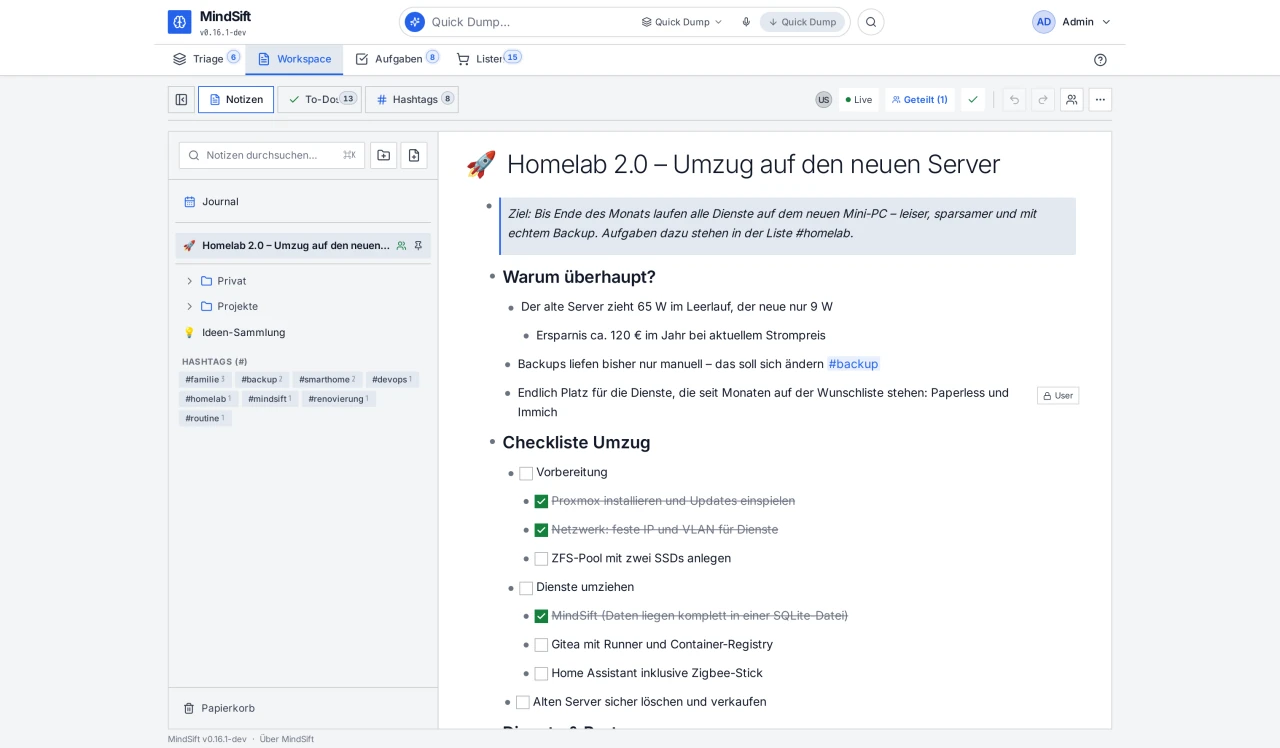
Folders and favourites on the left, the note on the right. Headings, callouts, checklists and code all sit as bullets in the same tree.
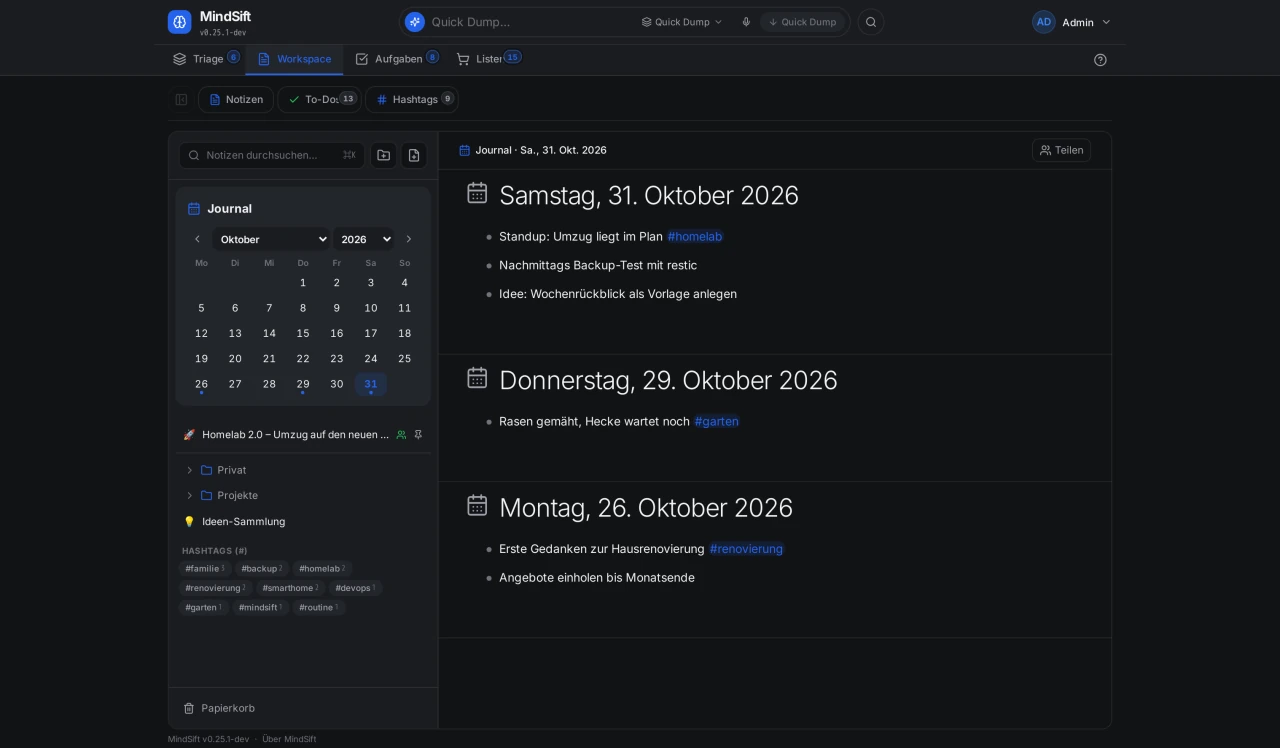
One outliner per day. The calendar shows on which days you wrote something, the entries are listed one below the other.
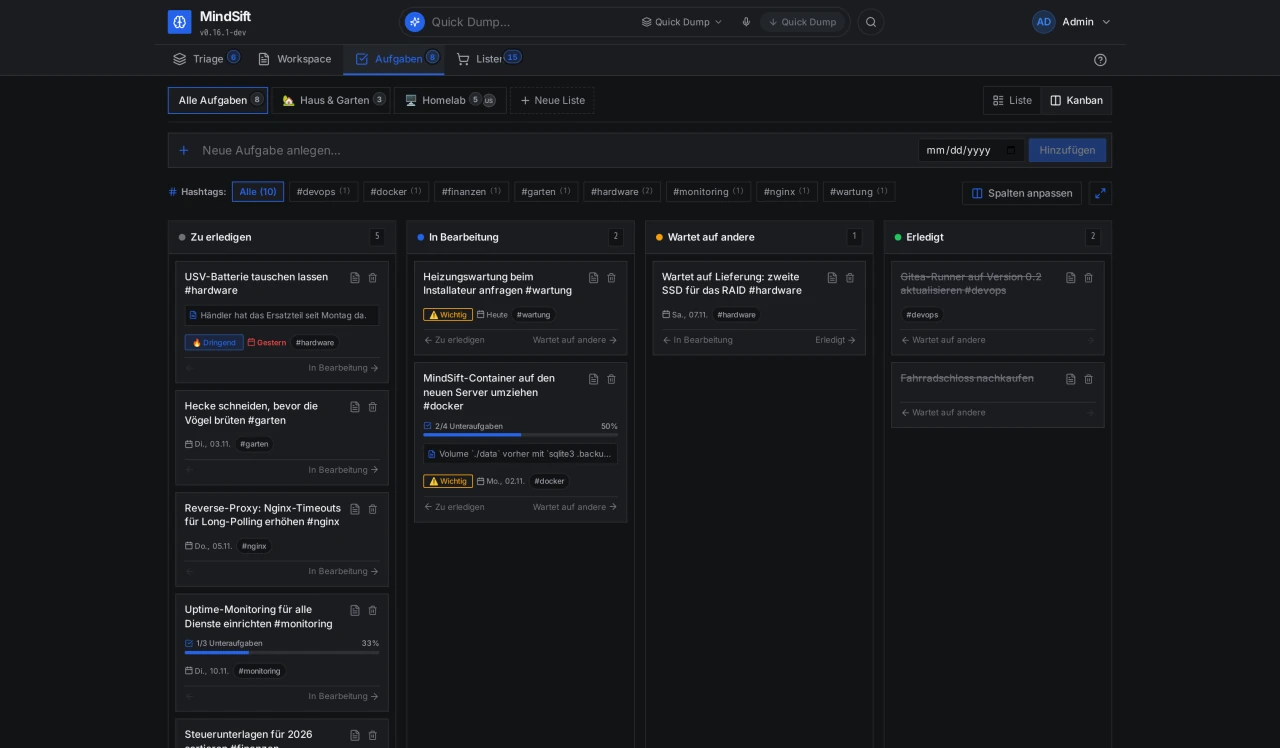
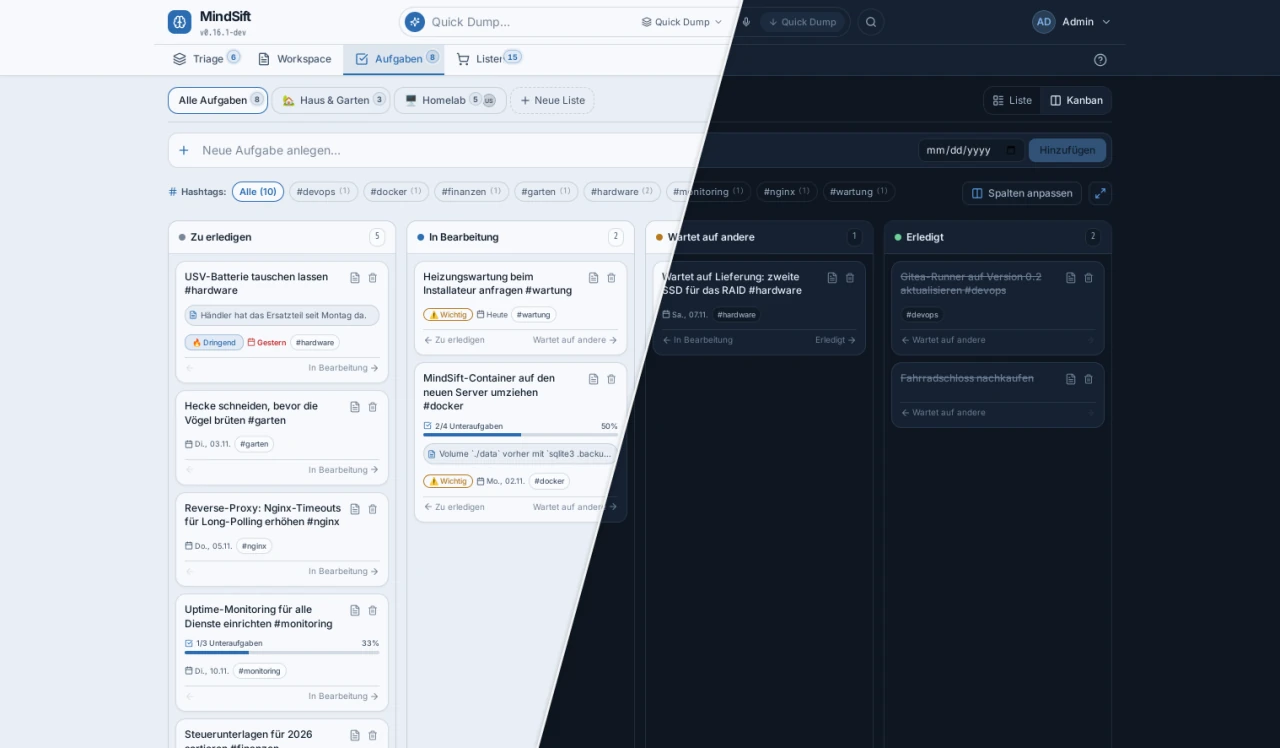
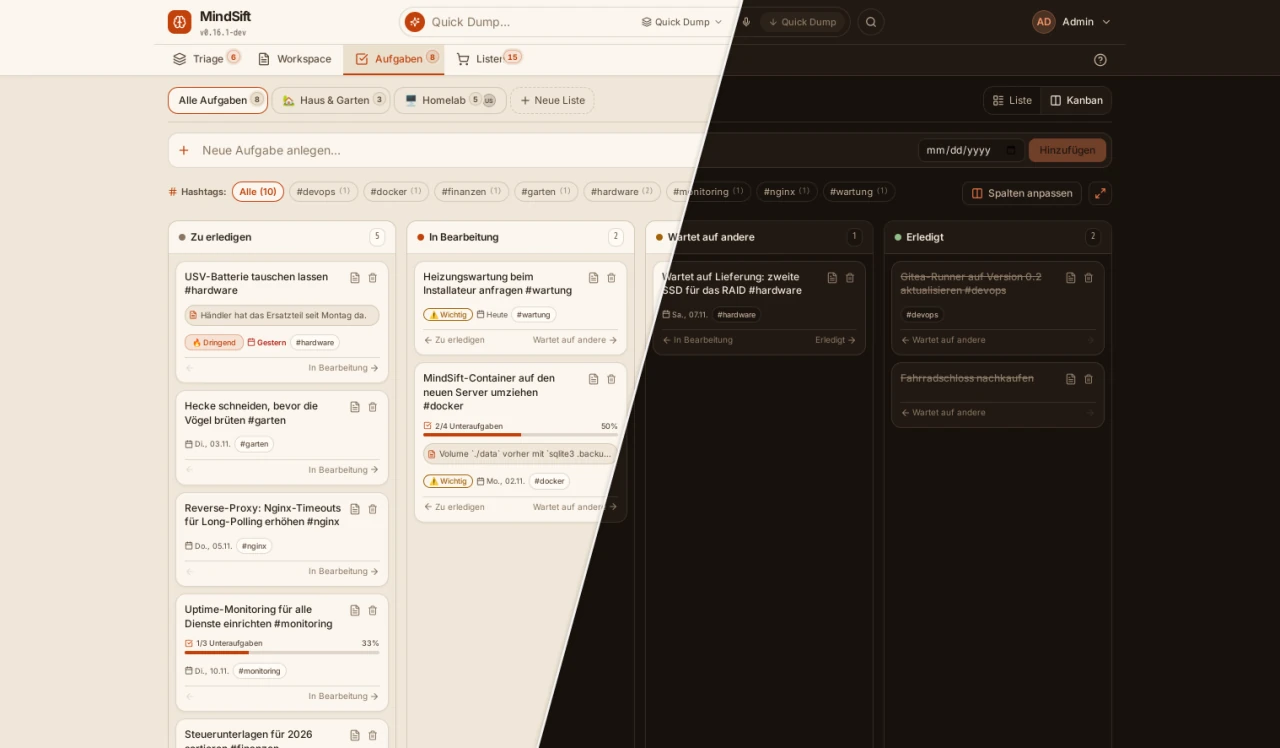
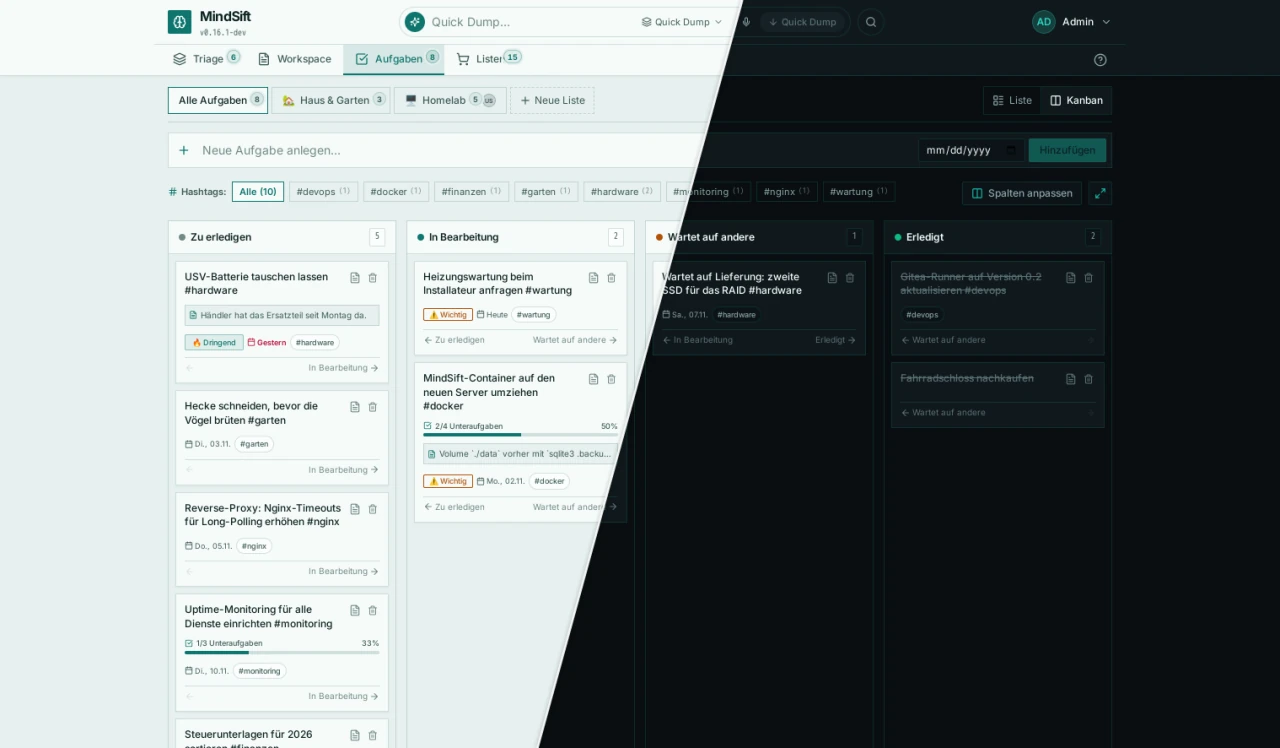
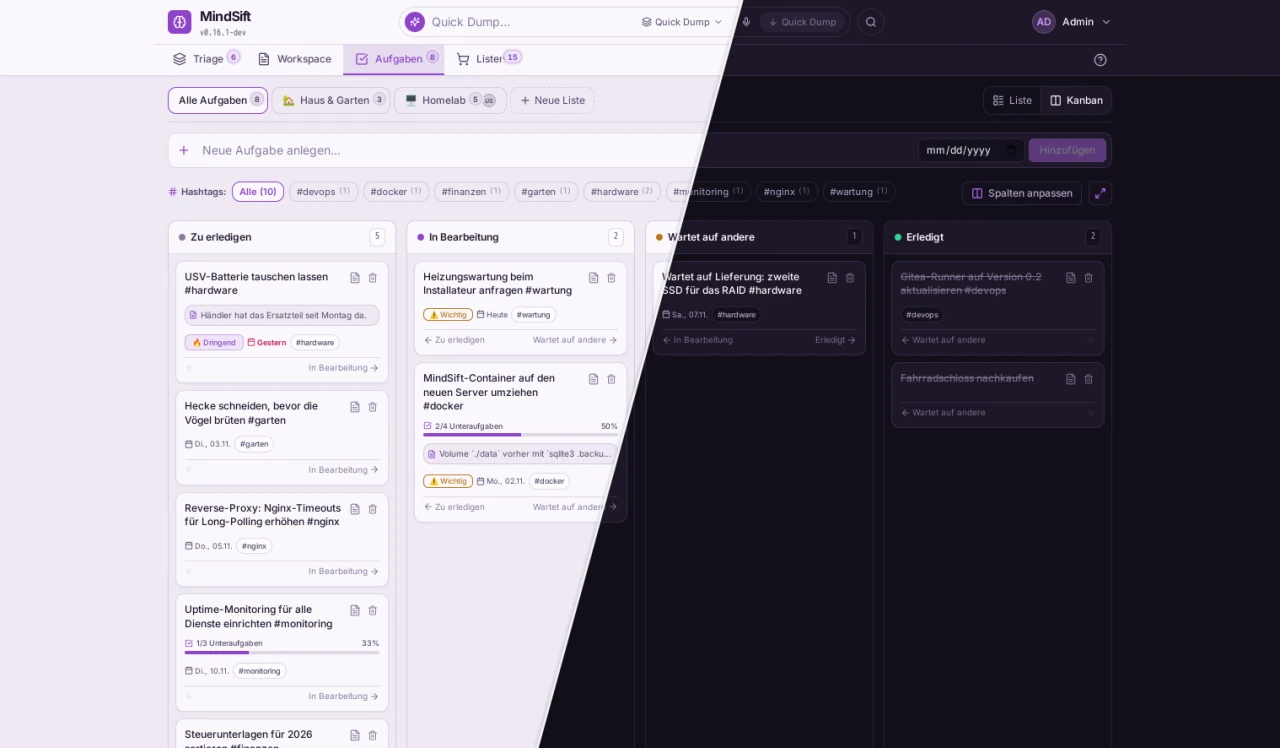
As a list or as a board with columns you set up yourself. With priorities, due dates, subtasks and progress bars.
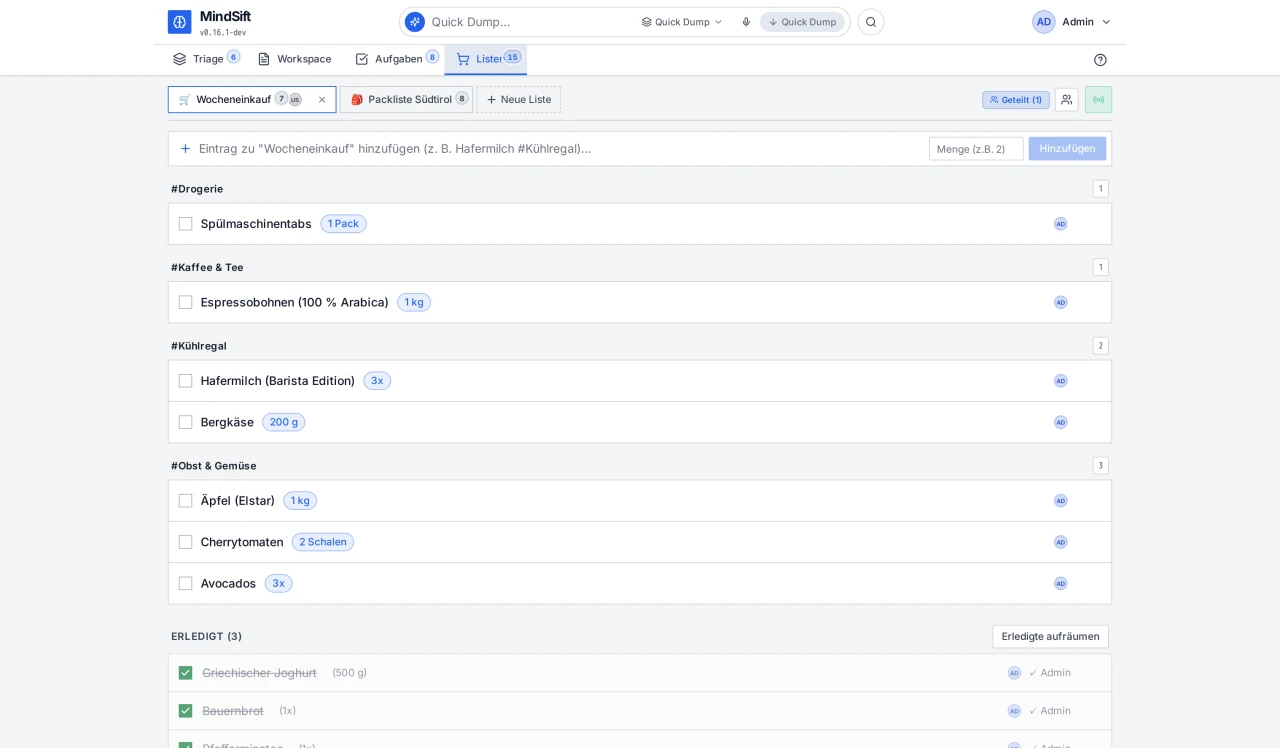
Shopping lists for the whole family. Checking something off shows up for everyone instantly. With #chilled after an item, the list sorts itself by aisle.
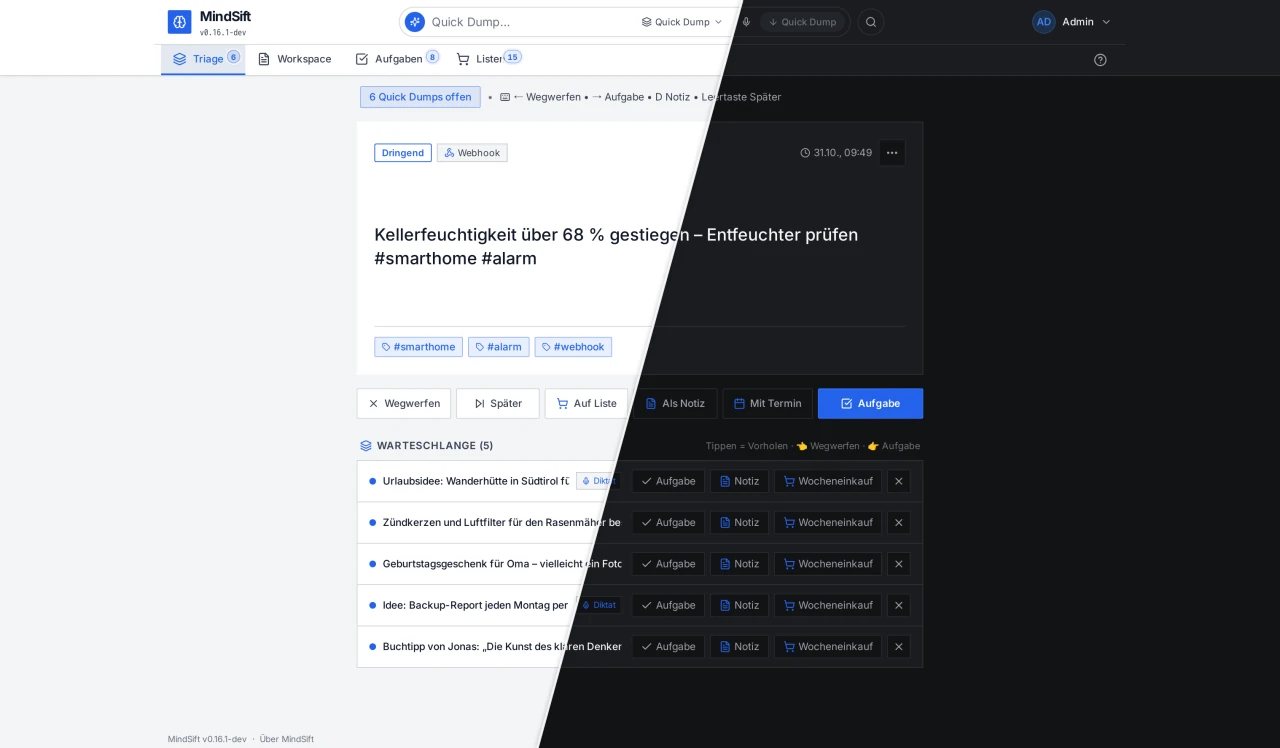
The input bar at the top takes whatever comes to mind in between, typed or spoken. Later you sort the stack card by card: as a task, into a note or a list, or away with it.
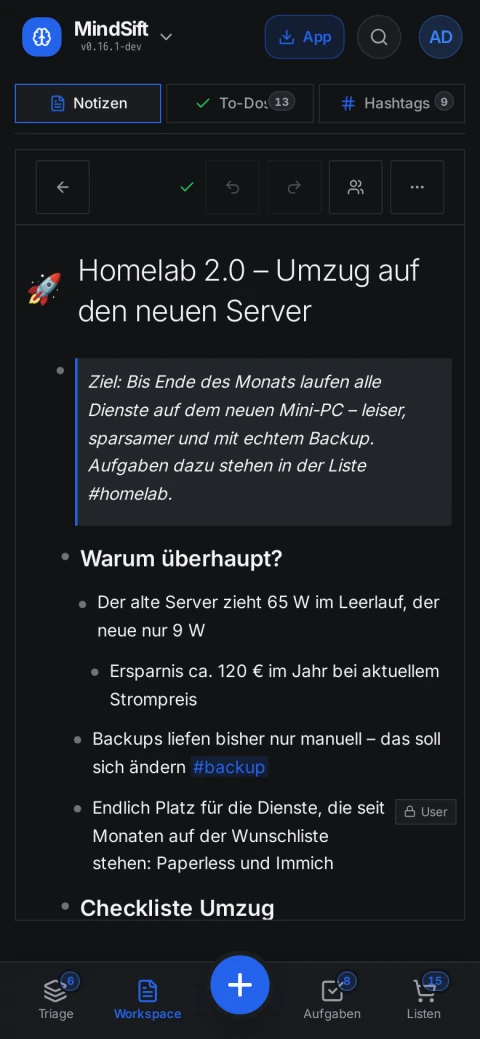
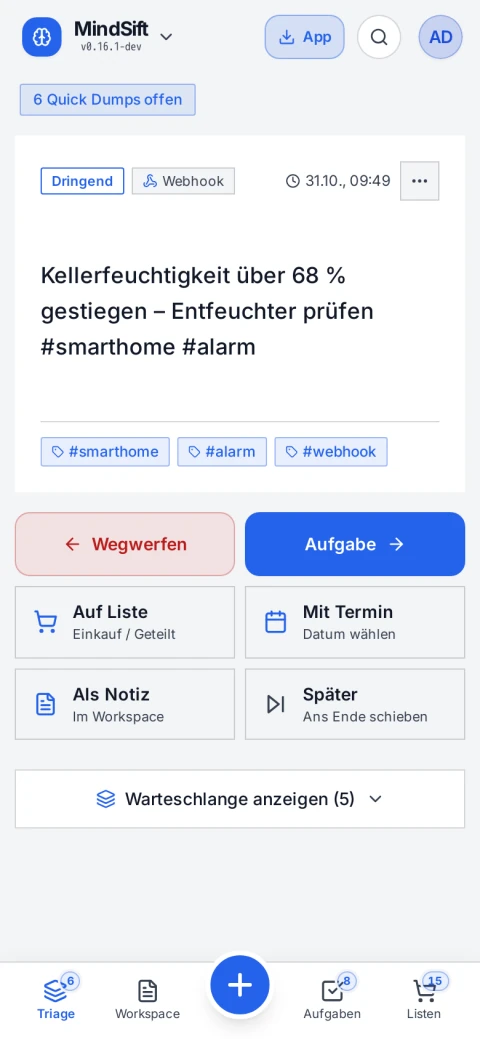
MindSift can be installed as an app, straight from the browser, without an app store. With its own navigation, large tap targets and push notifications.
Look
Classic, Fjord, Terracotta, Polarized and Suri. Plus round or square corners and an accent colour of your own, set per device.
The whole workspace goes out as an Obsidian-compatible Markdown archive, with folders, check boxes and attachments. An Obsidian vault comes in just the same, with a preview of what will be created first.
Self-hosting
Web server, API, interface and database in one image. No Postgres, no Redis, no zoo.
All content lives in one file, images and voice notes next to it. Backup means: copy a folder.
No third-party services, fonts and icons are bundled. Speech recognition, if you want it, with your own Whisper container.
The whole workspace as an Obsidian-compatible Markdown archive. And you can come in from Obsidian just the same.
# creates ./mindsift, generates a JWT_SECRET and starts the container
curl -fsSL https://raw.githubusercontent.com/mindsift-app/mindsift/dev/install.sh | bash
MindSift then runs on http://localhost:8080. All settings are in .env, each with an explanation.
services:
  mindsift:
    image: ghcr.io/mindsift-app/mindsift:stable
    restart: unless-stopped
    ports: ["8080:8080"]
    volumes: ["./data:/data"]
    environment:
      - JWT_SECRET=a-long-random-value
      - BASE_URL=https://mindsift.example.com
      - TZ=Europe/Berlin
docker compose up -d, done. :stable only gets tagged releases, :latest every new version.
services:
  mindsift:
    image: ghcr.io/mindsift-app/mindsift:stable
    restart: unless-stopped
    ports: ["8080:8080"]
    volumes: ["./data:/data"]
    environment:
      - JWT_SECRET=a-long-random-value
      - STT_URL=http://whisper:8000

  whisper:
    image: ghcr.io/speaches-ai/speaches:0.8.3-cpu
    restart: unless-stopped
    volumes: ["./whisper:/home/ubuntu/.cache/huggingface/hub"]
    environment:
      - WHISPER__COMPUTE_TYPE=int8
First run mkdir -p whisper && sudo chown 1000:1000 whisper. Whisper needs no port to the outside, only MindSift talks to it.
Try it
Everything is unlocked on the demo instance: workspace, tasks, lists, triage. Signing in takes one click, without a username or password.
Tip: Open the demo twice side by side, once normally and once in a private window with the other account. Then open the shared note and write in both windows at the same time.